Document scanners: what ppm and duty cycle really mean
If you are trying to get a box of paper out of your life, or archive three years of invoices, contracts and medical receipts in one pass, the number that decides how the job feels is not on the resolution line. It is in the footnote under the speed line. I actually went through the official spec sheets and datasheets for five sheet-fed scanners line by line (fetched 2026-11-15 from Brother and Epson product pages, official datasheets and the official press release), and the same simple-looking "40 ppm" carries five different conditions across these machines. Three of those conditions almost never appear in a product title.
Disclosure first: this article contains Amazon affiliate links. If you buy through them I earn a commission, and the price you pay does not change. Every number below is attributed to its official source. I did not buy these five machines and run them side by side, so wherever the manufacturer does not publish a number, I write "not published" instead of inventing a plausible one.
TL;DR: ppm counts sheets, ipm counts sides, and on a single-pass duplex scanner ipm is always twice ppm (40 to 80, 45 to 90, 60 to 120), so "80 ipm" does not mean 80 sheets a minute. The real conditions live in the footnote: Epson states 45 ppm only for letter-sized pages at 300 dpi in colour, grayscale or mono over USB, and publishes nothing for 600 dpi or Wi-Fi. The daily duty cycle is not a mechanical rating, as Epson's own footnote admits it is calculated from top speed times an assumed daily run time, which makes 7,000 sheets roughly 156 minutes. ADF capacity of 80 or 100 sheets is measured on 80 g/m2 paper, so thick receipts and cards fill the tray much sooner. And warranty length differs by two years inside one brand: 1 year for the ES-580W, 3 years for the DS-785W and DS-530X.
40 ppm and 80 ipm are the same speed described twice
Pin down the units first. ppm is pages per minute and counts sheets. ipm is images per minute and counts sides. On a single-pass duplex scanner both sides of a sheet are imaged during one trip through the paper path, so the official tables list 40 ppm and 80 ipm for the same hardware. They are two descriptions of one physical speed, not proof that duplex runs twice as fast.
The official pairs line up exactly. The Brother ADS-4700W is 40 ppm / 80 ipm. The Brother ADS-4900W is 60 ppm / 120 ipm. The Epson DS-785W and DS-530X are both 45 ppm / 90 ipm. The reverse test works too: if a listing gives ipm but no ppm, or the two numbers are not in a 2:1 ratio, then either the scanner is not single-pass duplex or the two figures were not measured the same way.
The practical cost of misreading this is easy to compute. Archive 1,200 double-sided contracts and 40 ppm means 30 minutes at full speed, 45 ppm means 26.7 minutes, 60 ppm means 20 minutes. Read 80 ipm as "80 sheets a minute" and you will plan for 15 minutes, then watch the feeder empty twice.
The footnote under the speed line: 300 dpi, USB, letter
The second layer of conditions hides in the footnotes. Epson's condition for 45 ppm on the DS-785W reads "letter-sized scans at 300 dpi in Black-and-White, Grayscale or Color Mode, using the USB interface". Four conditions must hold at once: letter size, 300 dpi, one of three colour modes, and USB. What happens over Wi-Fi? Not published. What happens at 600 dpi? Also not published.
The footnote for the ES-580W in the same family is shorter and only says "letter-sized scans at 300 dpi", without mentioning the interface at all. So the headline speeds of these two machines are less comparable than they look: one pins the interface, the other does not.
The price of 600 dpi can be derived from another official field. The ES-580W maximum document size is listed in three segments: 8.5 by 240 inches at 200 dpi, 8.5 by 215 inches at 300 dpi, and 8.5 by 53 inches at 600 dpi. On one machine, going from 200 dpi to 600 dpi cuts the maximum scannable length from 240 inches to 53 inches, which is 22 percent of the original. That is not marketing language, it is three numbers printed side by side in the official specification. If you scan engineering drawings or long continuous printouts, that line matters far more than ppm.
The daily duty cycle is an estimate: 4,000 divided by 35
The third trap is treating the daily duty cycle as mechanical life. Epson describes the DS-785W as having a "peak daily duty cycle of up to 7,000 sheets", and footnote 7 defines it as "the highest recommended number of scanned sheets per day", adding that the "calculations [are] based on maximum scanning speed and an assumed daily use time".
That is the manufacturer admitting the number is arithmetic. 7,000 divided by 45 ppm is about 155.6 minutes, roughly two and a half hours at full speed. The ES-580W works out to 4,000 divided by 35, about 114 minutes, or under two hours. So "7,000 sheets a day" means "two and a half hours of running flat out", not "this machine survives seven years".
Brother publishes two columns together. The official ADS-4700W datasheet lists "Maximum Daily 6,000 Sheets / Maximum Monthly 120,000 Sheets" and attaches a footnote to the monthly figure: "Maximum number of scanned pages per month can be used to compare design durability between like Brother products. For maximum scanner life, it is best to choose a scanner with a duty cycle that far exceeds your scan requirements." The stated purpose of that number is comparing durability inside the brand.
There is a small sum hiding in the two columns: 120,000 divided by 6,000 equals 20, which is exactly the number of working days in a month. For the ADS-4900W the official brochure lists a "Recommended daily scan volume up to 9,000 pages".
The 80-sheet and 100-sheet ADF figures assume 80 g/m2 paper
ADF capacity is the parameter most often read as an absolute. Brother is the most explicit: "Up to 80 sheets (Paper: 20 lb (80 g/m²) A4/Letter size)", and the ADS-4900W lists "Up to 100 sheets" with the same parenthetical condition. The "80 sheets" promise is therefore a promise about 80 g/m2 copier paper.
Paper weight is a separate field. The ADS-4700W datasheet gives 40 to 200 gsm, and Epson lists 27 to 413 g/m² for the ES-580W. A wide range does not mean a tall stack: a 413 g/m² card can pass through, but 100 sheets of it will not fit a tray dimensioned for 80 g/m2 stock. In practice thick paper goes in twenty or thirty sheets at a time, and mixed batches of invoices, cards and folded pages need a lower capacity still.
This connects to paper protection. Epson lists Paper Protection on the ES-580W to reduce damage from staples, and the same official page puts "scan extra-long pages up to 240 inches" and "business and ID cards" in one feature paragraph. They rely on different feed paths and modes, not on one set of tray numbers.
Ultrasonic multifeed detection: two Brother pages disagree
The failure mode that ruins a batch is two sheets going through together. The missing page is then permanently absent from the archive. Detection is ultrasonic: a transmitter and receiver sit on opposite sides of the paper path, and the signal attenuates differently when two sheets overlap, so the scanner stops.
Epson is explicit here. The ES-580W specification and the DS-785W page both list Ultrasonic Double Feed Detection. Brother depends on the model. The ADS-4900W product page has a dedicated paragraph headed "Ultrasonic Multifeed Sensor", described as using "sound waves to identify potential misfeeds and alerts the scanner user to intervene". The ADS-4700W page, in the same position, describes ADF auto deskewing and blank page skipping, and does not mention ultrasonics at all.
So if mixed-paper batches with zero missing pages is the hard requirement, these two Brother machines are not in the same tier. One caveat: some reseller pages describe the 4700W as having an ultrasonic sensor too. I could not find that wording on the official page, and I would trust the official page and confirm with the seller before ordering.
Two resolution numbers, and only one of them is real
The "1200 dpi" in product titles is usually interpolation. Brother separates the two lines: "Resolution - Optical: Up to 600 dpi × 600 dpi" and "Resolution - Interpolated: Up to 1,200 dpi × 1,200 dpi". Epson uses the same split, 600 dpi optical and 1,200 dpi maximum interpolated. Interpolation scales existing pixels mathematically and does not create stroke detail that was never sampled.
Colour depth is also split into input and output. Both Brother machines list "48-bit colour processing" input with 24-bit output, and the ES-580W lists "30-bit input / 24-bit output". All three deliver 24-bit output, eight bits per channel; the difference is internal processing width, not what lands in your TIFF.
What actually affects OCR is something else: the real gap between 300 dpi and 600 dpi for small print on receipts, plus the shrinking maximum page length as resolution rises, as the 240, 215 and 53 inch figures show.
Five machines, one at a time: where each limit is printed
Prices and stock move with region, exchange rate and time of day, so I am not copying prices here. Each "who should skip it" note below follows from the official specification.
Brother ADS-4700W: 40 ppm / 80 ipm, 80-sheet ADF at 80 g/m², 6,000 sheets daily and 120,000 monthly duty cycle, 26 W while scanning, 2.75 kg, 4.3-inch touchscreen, USB 3.0 plus Ethernet and Wi-Fi, officially TWAIN, WIA, ICA and ISIS compliant. Its weakness is positioning: 20 fewer ADF sheets and 3,000 fewer daily sheets than the 4900W in the same family, no ultrasonic paragraph on the official page, and no published 600 dpi speed. It fits an archive of a few hundred sheets a day on ordinary copier paper. Current listing: Brother ADS-4700W.


Brother ADS-4900W: 60 ppm / 120 ipm, 100-sheet ADF at 80 g/m², a "Recommended daily scan volume up to 9,000 pages" in the official brochure, 34 W while scanning, 3.37 kg, 4.3-inch touchscreen, dual-band Wi-Fi, and a dedicated ultrasonic multifeed paragraph on the official page. It is the fastest and most capacious of the group, and the cost is 34 W and 3.37 kg, so leave room for both the feed and output paths on a desk. No published 600 dpi speed. Listing: Brother ADS-4900W.


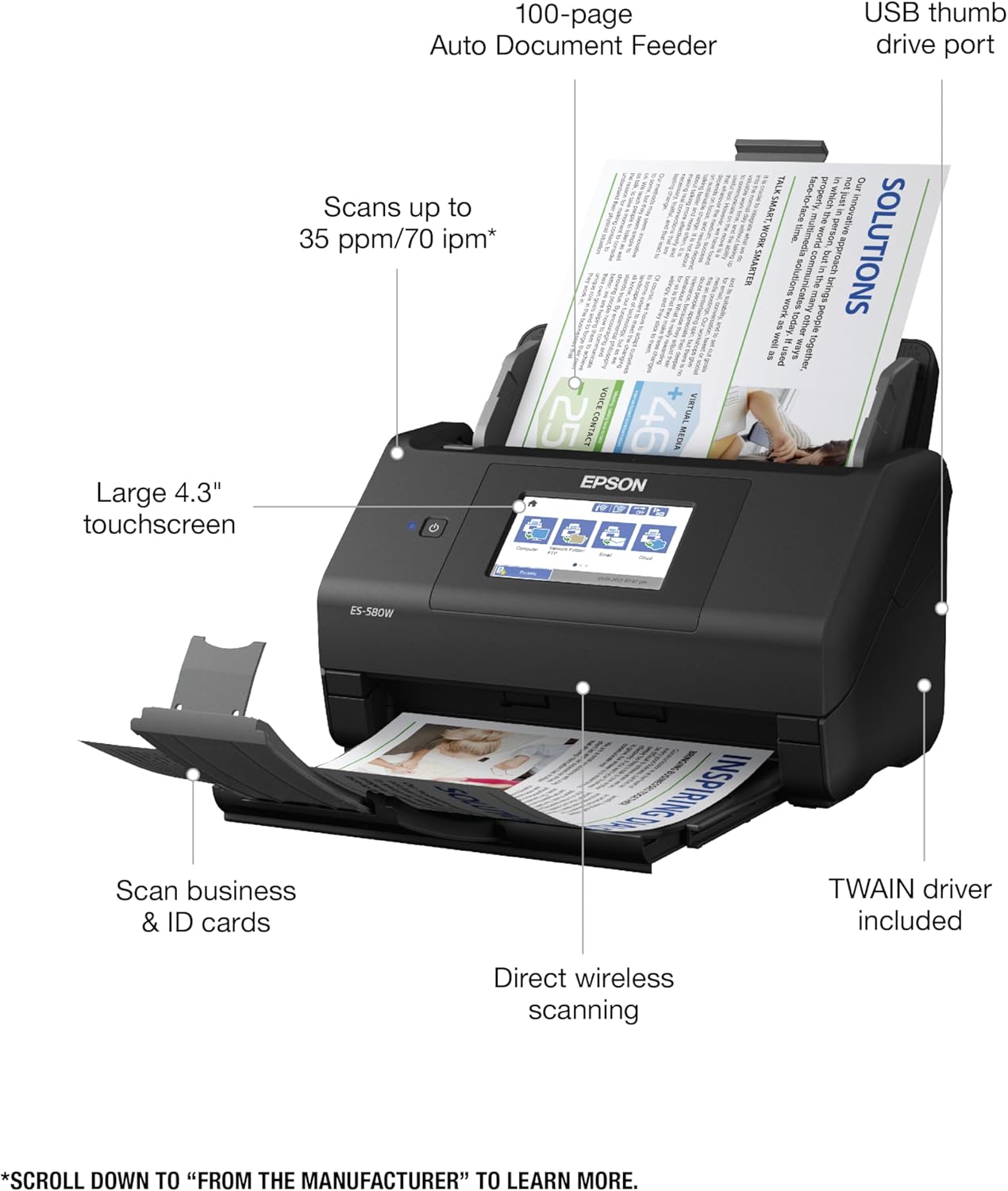
Epson WorkForce ES-580W: 35 ppm / 70 ipm at 300 dpi on letter, 100-sheet ADF, 4,000-sheet daily duty cycle, 27 to 413 g/m² paper range, 13 W operating and 18 W in wireless mode, 6.9 W ready, 1.4 W sleep, 30-bit input with 24-bit output, listed at $449.99 with a $379.99 promotional price on the official page when I fetched it on 2026-11-15, and a 1-year warranty. Its limits are explicit: the slowest of the five at 35 ppm, the lowest daily duty cycle at 4,000, and a warranty two years shorter than the newer models in the same brand. The upside is power draw, footprint and the widest paper range. Listing: Epson WorkForce ES-580W.


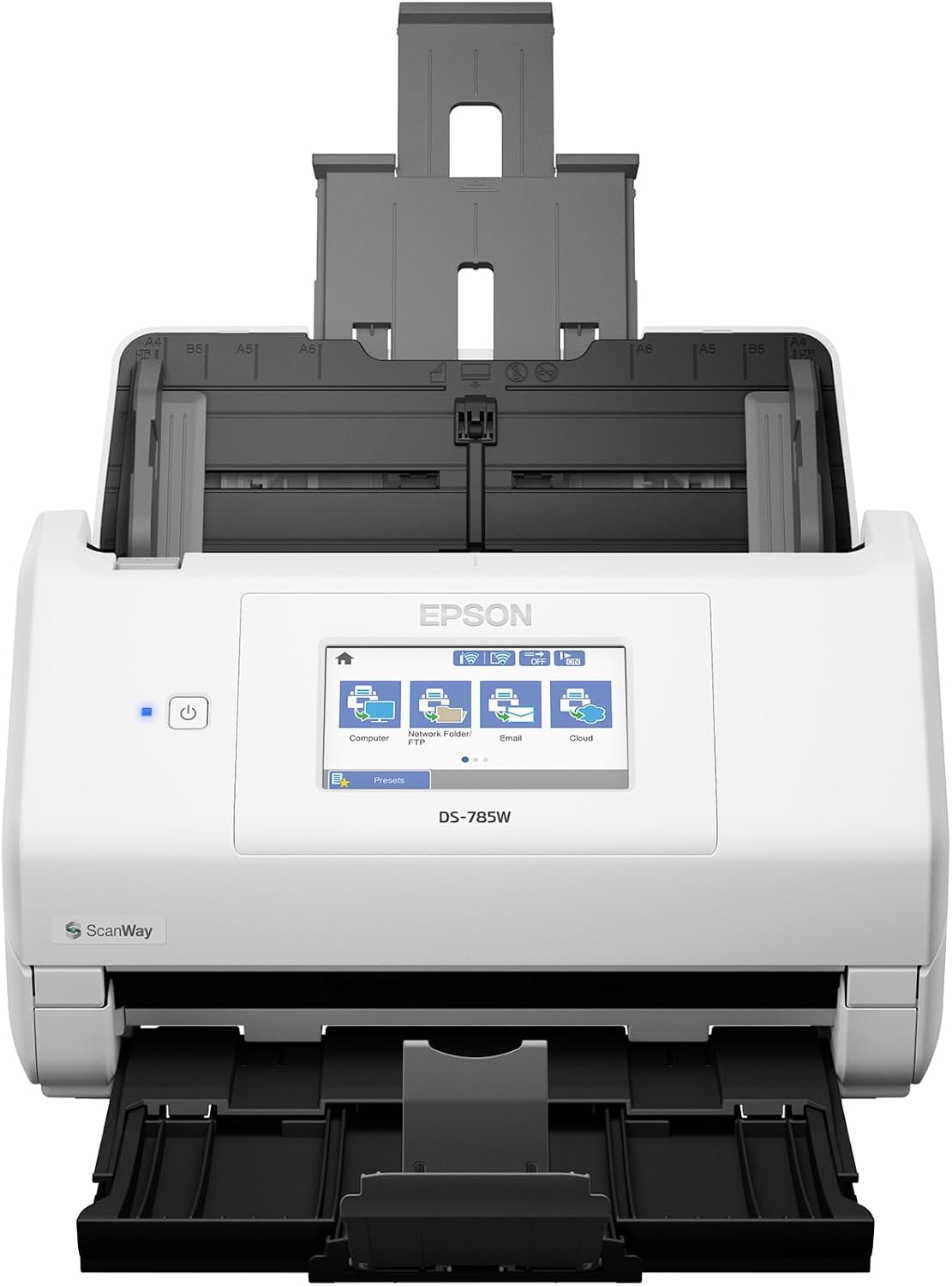
Epson DS-785W: 45 ppm / 90 ipm with the footnote pinning 300 dpi and USB, 100-sheet ADF, 7,000-sheet peak daily duty cycle, TWAIN and ISIS drivers included, 3-year warranty, 4.3-inch touchscreen, ScanWay PC-free scanning to USB drives, email and network folders, with ultrasonic double-feed detection and blank page removal listed officially. The weak spot is long media: at 600 dpi the official maximum length falls back to the 53-inch tier, and the speed figure only holds over USB, with no equivalent published for Wi-Fi. Listing: Epson DS-785W.


Epson DS-530X: 45 ppm / 90 ipm, 100-sheet ADF, 7,000-sheet peak daily duty cycle, TWAIN and ISIS included, 3-year warranty, USB only. The difference from the DS-785W is connectivity and the control panel: the official press release says the DS-785W is the one that "adds wireless connectivity, an intuitive color touchscreen and ScanWay PC-free scanning", which means the DS-530X has none of those. If the scanner lives next to your computer and you never need PC-free scanning, that is money saved; if you want to drop a stack of receipts straight into a cloud folder with no computer involved, it cannot do that. Listing: Epson DS-530X.


Check two rows before you install a driver: TWAIN and ISIS
If the scanner is meant to feed an automated pipeline, for example a script that pulls each day's receipts into a PDF and drops them into an archive folder, the driver matters more than the speed. All five mention TWAIN: Brother lists TWAIN, WIA, ICA and ISIS compliance, and Epson states that TWAIN and ISIS drivers are included.
Those compliance statements come with operating system lists. Brother's official page scopes TWAIN to Windows Server 2012, 2012 R2, 2016 and 2019 plus macOS 10.14 through 11, WIA to Windows 7, 8.1 and 10, and ISIS to Windows 10. If you run something newer, it is not on the official compatibility list, so verify driver availability instead of treating "supports TWAIN" as a promise.
One more detail that gets missed: TWAIN is the interface between the scanner and software, while the scanner's own one-touch jobs, such as scanning to a USB drive or an email address, run through the device firmware and never touch TWAIN. "PC-free scanning" and "callable from my own program" are two different paths and do not substitute for each other.
Four questions that come up before checkout
Q: How much does 35 ppm versus 60 ppm actually change an archive job?
Linearly, in sheets. For 1,200 double-sided contracts, 35 ppm is about 34.3 minutes at full speed, 40 ppm about 30 minutes, 45 ppm about 26.7 minutes, and 60 ppm about 20 minutes. Real elapsed time also includes reloading, clearing jams and re-straightening pages, and dropping from a 100-sheet to an 80-sheet feeder means one more reload for the same batch.
Q: Is Wi-Fi scanning slower?
No official number exists for wireless speed, only the USB-conditioned figure. Bandwidth is not the bottleneck at 300 dpi, but wireless adds connection setup and retransmission variability. For batch archiving, USB or Ethernet is the safer path and Wi-Fi is better kept for scanning two pages on the way out the door.
Q: How do I know whether 4,000 or 7,000 sheets a day is my tier?
Convert pages to sheets first, since both Brother and Epson count duty cycle in sheets. Then use your own history: five working days a week at 300 sheets a day is 1,500 sheets a week and roughly 6,500 a month, comfortably inside a 4,000-sheet-a-day machine. The 7,000-sheet tier belongs to departments scanning more than 2,000 sheets every single day.
Q: Why is the warranty 1 year on one model and 3 years on another in the same brand?
Epson's official press release dated 2026-05-12 states that the DS-530X and DS-785W carry a 3-year limited warranty with Advance Exchange and free next-business-day replacement, and that the DS-C330, DS-C480W, DS-C490, DS-800WN and DS-900WN move from one year to three. The ES-580W specification page still says 1 year. That is product-line positioning, not a typo.
What this article does not cover
I did not buy these five machines or benchmark them on identical paper, and every figure here comes from Brother and Epson official product pages, datasheets and the press release fetched on 2026-11-15. Where the manufacturer publishes nothing, including 600 dpi speed, Wi-Fi speed and whether the ADS-4700W has ultrasonic detection, I say so instead of filling the gap with a reasonable-looking estimate.
Prices and stock move constantly. I kept only the US dollar figure printed on Epson's own page as a reference point; the currency and amount on an Amazon page depend on where you are browsing from, so check the page before ordering.
There is also a path outside these five machines. If you scan two or three hundred pages a year, a flatbed or a phone scanning app has a lower marginal cost. The entire value of a sheet-fed scanner sits in one sentence: load a hundred sheets and walk away. Read that sentence backwards and you have the whole buying decision. Count your sheets first, then decide whether to pay for ppm.
If you collect spec-sheet breakdowns for a desktop toolkit, two related pieces follow the same method: the five numbers on a USB power meter and E_MPE versus S_MPE on a digital caliper. All three make the same point: the number printed largest on a product page almost always arrives with a condition nobody read.
👉 Join Xiaomi MiMo Platform: Leading AI model platform with cost-effective inference
👉 Join Aliyun AI: Top AI products with exclusive coupons for business innovation
📌 This article was AI-assisted generated and human-reviewed | TechPassive — An AI-driven content testing site focused on real tool reviews
🔗 Recommended Tools
These are carefully selected tools. Using our affiliate links supports us to keep producing quality content:
As an Amazon Associate, I earn from qualifying purchases at no extra cost to you.