Multiport USB-C Chargers: The Total Wattage Is a Ceiling
There is a gap that shows up on nearly every multiport charger page: the title says 112W, you plug in two devices, and the two ports add up to 100W. Nothing is mislabeled. Total output and simultaneous output are two different numbers that happen to share one line of copy.
I actually read the bullet points, spec tables, and port-allocation rows on five Amazon listings (fetched 2026-11-25), looking for one thing: does the number in the title still hold when more than one port is in use. Links in this article are affiliate links, and this site may earn a commission if you buy through them. Prices and stock reflect the page at the time of writing.
A counter-example: the 112W charger that adds up to 100W
The Belkin 112W unit is unusual because it publishes a full table: 100W on a single port; 70W plus 30W with two; 60W, 20W, 20W with three; 60W, 20W, 20W, 12W with four. Only the last row sums to 112W.
So 112W exists only at the moment all four ports are occupied, including the USB-A. Two laptops get 100W total. A laptop plus a phone gets 100W total. The extra 12W is not reserved for your main device; it is the fourth port's remainder.
The same page also disagrees with itself. One bullet says "CHARGE 4 DEVICES" and lists three USB-C plus one USB-A; the next says "fast charge up to 3 devices at once." Both are true. They answer different questions.
TL;DR
Budget pick: Amazon Basics 120W ($26.24 at the time of writing). Two ports give 60W plus 60W, a single port gives 100W, and the cable is sold separately.
Most complete table: Belkin 112W ($36.99). Every row from one to four ports has a number, at the cost of 112W appearing only when all four are plugged in.
Four ports on a desk: UGREEN Nexode 100W ($37.98). Three USB-C plus one USB-A, a claim of simultaneous fast charging, no allocation numbers anywhere, and 100W requires a 5A cable.
If you need 140W: the UGREEN Nexode 140W ($66.49) delivers it only to a MacBook Pro with a MagSafe 3 cable; the Lenovo 140W ($57.99) uses a 20V 7A protocol that only Lenovo machines accept.
Each unit gets its own section below, followed by a three-step check you can run before buying.
Why total wattage cannot be summed across ports
USB-IF states it plainly on the USB Power Delivery page: before PD 3.1, the ceiling was 100W, delivered as 20V over cables rated for 5A. Revision 3.1 added fixed voltages of 28V, 36V, and 48V, which correspond to 140W, 180W, and 240W.
Two things follow. First, 100W is not a marketing figure; it is 20V times 5A, so any charger advertising more has to move to a higher voltage or a higher current. Second, 140W on the standard path is 28V times 5A, not 20V with the current turned up.
That means one word, wattage, stands for three different quantities on a product page: total output (the ceiling across all ports), single-port maximum (what one laptop actually receives), and per-port allocation (who yields when several devices are connected). The title only ever states the first.
On five spec tables, two cannot produce the rated wattage
Each page carries a row of fields: Wattage, Output Voltage, Output Current, Current Rating. I multiplied all five.
Belkin lists Wattage 112W, then Output Voltage 5V, Output Current 5A, Current Rating 5A. Five times five is 25W.
UGREEN Nexode 100W lists 100W, 20V, 24A, and a 2.4A current rating. Twenty times 24 is 480W; twenty times 2.4 is 48W. Neither is 100W.
Amazon Basics lists 24V and 5A, which multiplies to exactly 120W, so the arithmetic works, but USB PD's fixed voltages top out at 20V in 3.0 and add 28V, 36V, and 48V in 3.1. There is no 24V step.
UGREEN Nexode 140W lists 28V and 5A, which is 140W, and is the cleanest row of the five.
Lenovo lists 20V with a 7A current rating, which multiplies to 140W, while the Output Current field on the same table says 1A, which would be 20W. The two fields contradict each other.
The lesson is not that these brands are lying. These three cells are merchandising fields, not negotiated protocol values. The sentence that survives scrutiny is the allocation table, plus the condition attached to the highest number.
Amazon Basics 120W: all three ports add up to 117W
The published allocation: 100W on one port; 60W plus 60W across C1 and C2; 100W plus 12W for a USB-C port with the USB-A; 60W, 45W, 12W with all three.
All three sum to 117W, three watts short of the advertised 120W. A single port never reaches 120W; only two USB-C devices at 60W each do. The unit weighs 232.42 g, the bullets give 2.7 by 2.7 by 1.3 inches with a foldable plug, and no cable is included, which is easy to forget on a first purchase.
The product page is here.


Real drawbacks: the single-port ceiling is 100W, so 120W requires two devices; the three-port combination drops to 117W; the 24V field is not a PD fixed voltage; no cable in the box.
Belkin 112W: the one that publishes all four rows
The four rows are above, so two details here. The unit weighs 0.23 kg, and weight is the only physical dimension the page gives. At the time of writing it ships from Amazon and is sold by Amazon Export Sales LLC.
The product page is here.


Real drawbacks: 112W only exists with all four ports occupied, while two and three ports both give 100W; of four ports only three are fast-charge ports, and the page says each half of that in a different bullet; the 5V 5A spec row cannot produce 112W; there is no size field, so desk clearance has to be estimated from weight.
UGREEN Nexode 100W: four ports, zero allocation numbers
Three USB-C plus one USB-A, with a bullet claiming "all at the same time fast charging" and no port-by-port figure anywhere on the page. The 100W condition is stated precisely: one port, and a 100W 5A cable.
The same page volunteers a limitation: because of the charging protocols used by Dell and Lenovo laptops, those machines cannot charge at full speed. The unit weighs 8.29 ounces, about 235 g.
The product page is here.





Real drawbacks: the four-port allocation is blank, so you find out by measuring; 100W depends on a 5A cable, since a 3A cable carries 60W at 20V; Dell and Lenovo are officially excluded from full speed; the 20V paired with 24A in the spec table produces no sensible wattage.
UGREEN Nexode 140W: 140W for one brand and one machine
The first bullet states the condition up front: 140W applies to a MacBook Pro only, and requires a USB-C to MagSafe 3 cable. The compatibility bullet adds that Lenovo Legion laptops are not supported.
The spec row is the cleanest of the five: 28V and 5A, which is 140W and matches the 3.1 step USB-IF describes. A 240W USB-C cable is included, and the unit weighs 10.39 ounces, about 295 g. Total output is listed as 140W, with no breakdown for three ports at once.
The product page is here.


Real drawbacks: 140W is the answer for one brand and one model, and a Windows laptop falls back to standard PD steps; Legion is explicitly unsupported; the three-port split is missing; at $66.49 it costs more than the other four, and the premium buys a specific combination.
Lenovo 140W: 20V 7A is not PD 3.1
This one reaches 140W two ways. For a ThinkPad T14P 2024 it supplies 20V at 7A, which the bullet calls "Lenovo's exclusive fast charging protocol." For a 14-inch MacBook Pro it quotes 50% in 45 minutes.
The USB-IF framing matters here: before 3.1 the ceiling was 20V at 5A, or 100W, and the standard way up is 28V. Twenty volts at 7A does produce 140W, but it is not a PD step, so only machines that recognise the proprietary protocol receive it.
The page also carries an obvious copy-paste trace: the first bullet is titled "140W Hyper-Fast Charging" and the second "40W Hyper-Fast Charging," with identical body text describing 140W in both. The unit weighs 287 g and includes a 4.9 ft 240W cable.
The product page is here.


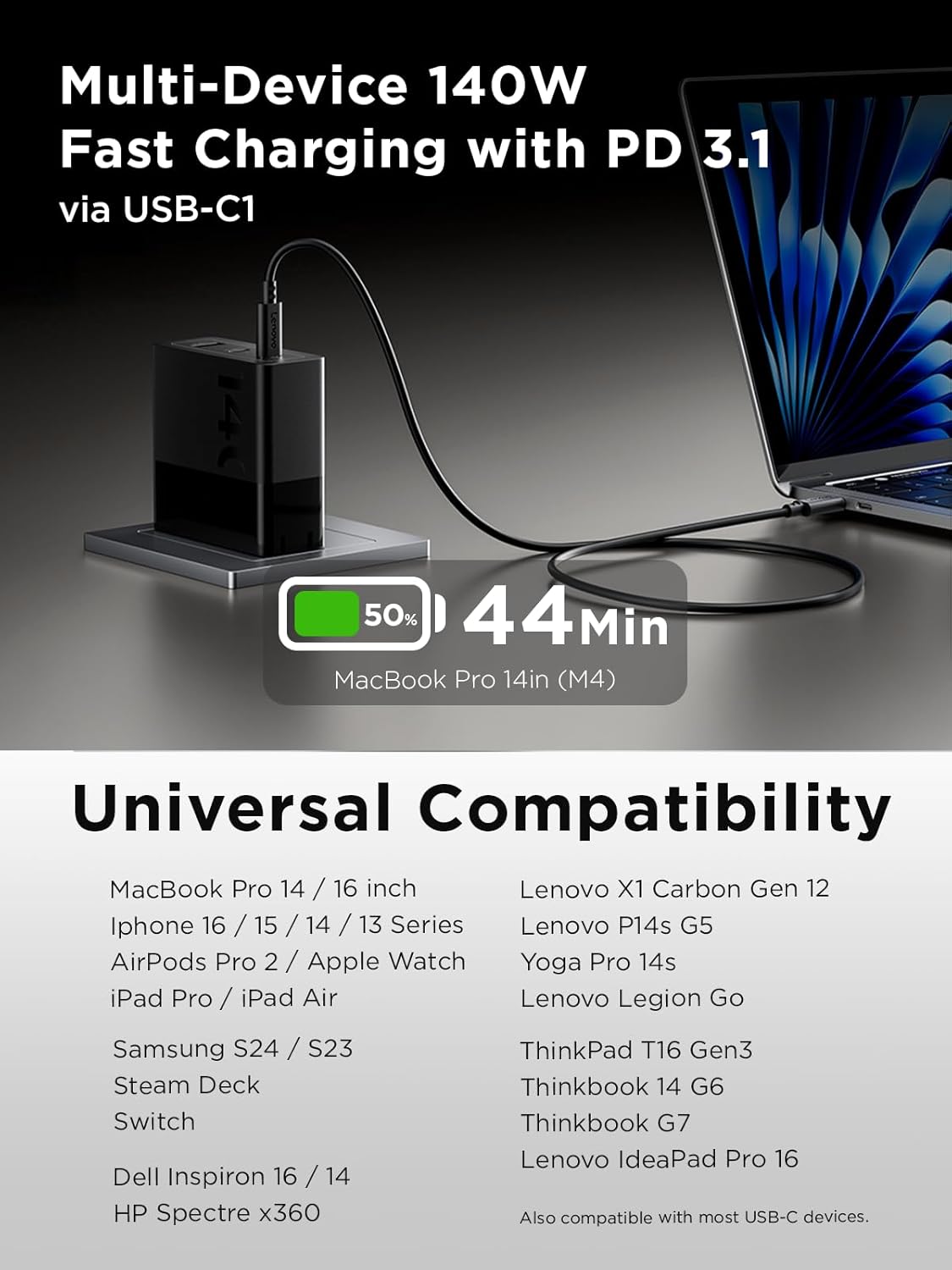


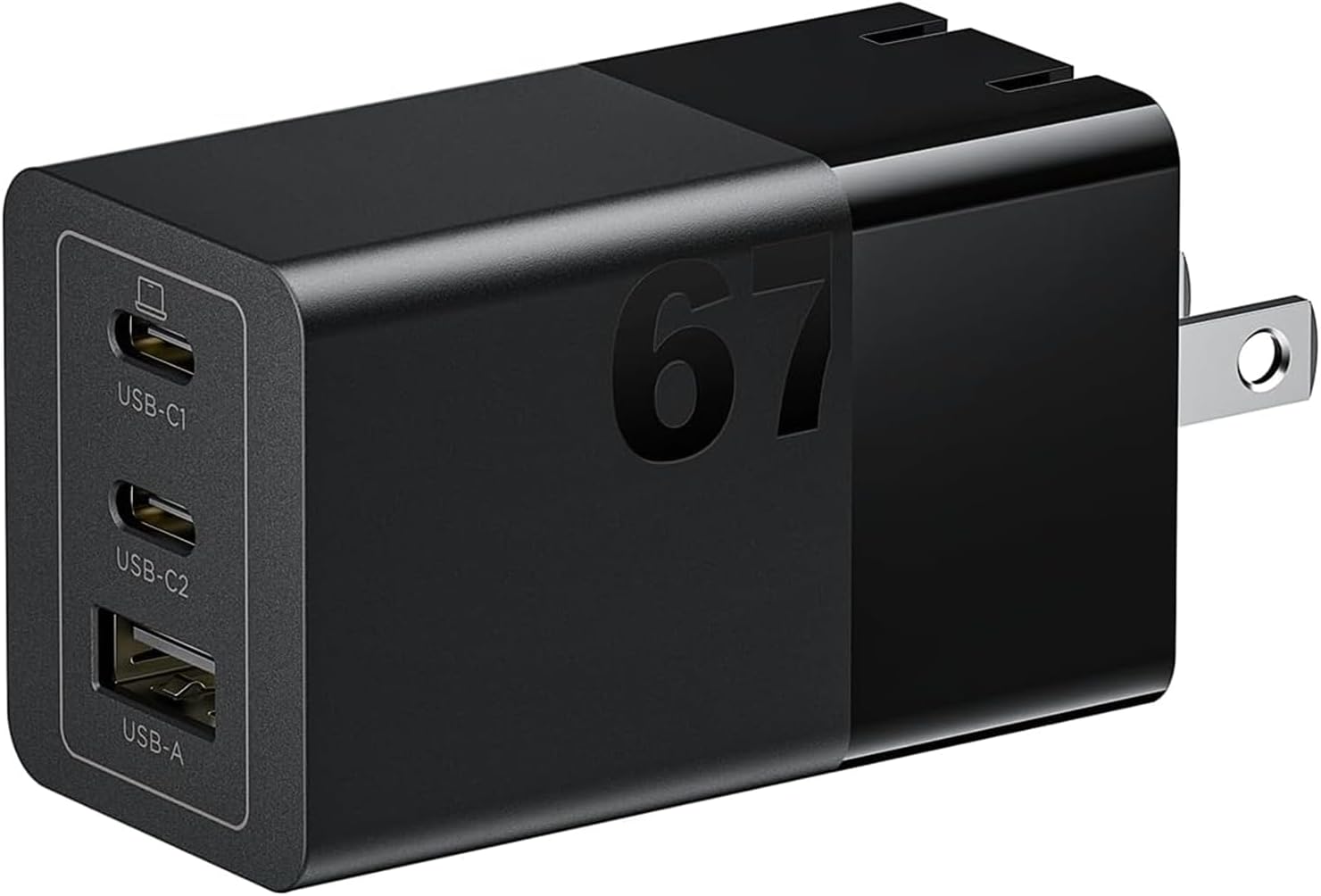


Real drawbacks: 140W depends on Lenovo's proprietary protocol, and other laptops negotiate standard PD steps; two bullets claim 140W and 40W in their titles with the same body; the three-port split is described only as "efficient power distribution," with no numbers; the 50% MacBook figure is a 45-minute result, not a 140W full-speed one.
Three checks before buying
First, find the single-port maximum instead of the title. The headline wattage is the sum across ports; the single-port row is what one laptop receives.
Second, find the combination you will actually use. For most people that is one laptop plus one phone, so read the two-port row rather than the four-port row. Belkin gives 70W plus 30W there; Amazon Basics gives 60W plus 60W across its two USB-C ports. Those numbers decide whether both machines charge properly tonight.
Third, check the cable and the protocol. 100W needs a 20V 5A cable, 140W on the standard path needs 28V, and Lenovo's route needs its own 7A protocol. To verify that allocation is actually happening, put a USB power meter in line and watch voltage and current; how to read one is covered in my earlier piece on the five numbers on a USB power meter. If what you care about is how a rated wattage behaves under load, the DC load envelope uses the same arithmetic, and turning watts into runtime is what the UPS capacity math article walks through.
Choosing by situation
Fixed desk, many devices: port count beats total output. Two fast ports and two slow ones is more useful than three fast ports, provided the table says which is which.
Frequent travel: weight and plug type come first. The 60 g between 235 g and 295 g is noticeable in a bag, and a foldable plug is less likely to scratch what it sits next to.
Two laptops at once: read only the two-port row. 70W plus 30W means one machine at full speed and one throttled; 60W plus 60W means both at medium speed; the 140W models do not publish their two-port figures at all.
One 16-inch MacBook Pro that wants 140W: the standard path is 28V PD 3.1 with a MagSafe 3 cable, or Lenovo's 20V 7A, and the two do not interoperate.
FAQ
Q: Can a 100W charger charge a laptop that asks for 140W?
A: Yes. The charger and the laptop negotiate a step both support, usually 100W or 65W, so it is slower but not harmful. The thing to watch is heat during long full-load sessions.
Q: Why does my laptop drop to 45W when I plug in a second device?
A: Because the allocation table describes simultaneous use, not single-port use. Belkin's three-port row is 60W, 20W, 20W and Amazon Basics' is 60W, 45W, 12W, so which port you use decides which number the laptop gets.
Q: What is the practical difference between a 5A and a 3A cable?
A: Per USB-IF, 100W is 20V times 5A. A 3A cable carries 60W at 20V, so a 100W charger with an ordinary cable runs at 60W. That is why several listings state the 5A requirement in the bullets.
Q: Is a charger with a per-port display worth it?
A: It lets you see whether allocation matches the page instead of guessing. The trade-off is that such models tend to be larger and pricier, and the screen does not change how power is divided.
Q: Does 140W always require a MagSafe 3 cable?
A: The UGREEN page says 140W applies to a MacBook Pro only and requires a USB-C to MagSafe 3 cable; Lenovo uses a 20V 7A proprietary protocol. A third-party device that supports PD 3.1 draws 28V and does not need MagSafe.
Bottom line
Across five pages, what decides the experience is not the number in the title but three lines: the single-port maximum, the row for the combination you actually use, and the cable the top number depends on. Belkin publishes all four rows, which makes it the easiest to judge; the other four either leave the table blank or tie 140W to one specific pairing.
Prices and stock change daily. Every figure here reflects the page as fetched on 2026-11-25; check the live listing before ordering. If the relationship between rated wattage and cable resistance interests you, the USB power meter piece goes further into measurement.
👉 Join Xiaomi MiMo Platform: Leading AI model platform with cost-effective inference
👉 Join Aliyun AI: Top AI products with exclusive coupons for business innovation
📌 This article was AI-assisted generated and human-reviewed | TechPassive — An AI-driven content testing site focused on real tool reviews
🔗 Recommended Tools
These are carefully selected tools. Using our affiliate links supports us to keep producing quality content:
As an Amazon Associate, I earn from qualifying purchases at no extra cost to you.