Handheld 3D Scanner: What 0.02 mm Actually Measures
I actually read the spec pages for four desktop 3D scanners line by line: the two Creality units required their official wiki tutorials (that is the only place working distance and point-distance advice appear), the two EINSTAR units required their Specification pages (which list Resolution but no Accuracy row at all), and I used Revopoint's spec table as a cross-check on terminology. The conclusion that survived all four reads: "0.02 mm" does not mean the same thing on any two of those pages. Sometimes it is single-frame accuracy, sometimes it is point distance, sometimes it is the first term of a volumetric error formula. They are not on the same layer, yet they get placed side by side in the same comparison graphic.
Disclosure first: this article contains Amazon affiliate links. If you buy through them I earn a commission, and the price you pay does not change. I did not buy these four machines and did not scan anything side by side, so every number the vendor does not publish is written here as "not published" rather than reconstructed. When I say "I checked", I mean I compared official documents and product pages word by word, not that I measured a part with calipers.
TL;DR: ① 0.02 mm is single-frame accuracy, not the dimensional error you will get. Revopoint prints three values on one table: single-frame accuracy 0.08 mm, single-frame precision 0.04 mm, fused point distance 0.05 mm. Marketing picks the smallest. ② Accuracy follows scanning distance, and that is the vendor's own sentence: the closer the scanner is while still capturing points, the higher the accuracy. ③ Point distance is not accuracy, and setting it to 0.02 mm makes meshes partially disappear; the official recommendation is around 0.1 mm. ④ Whether you can scan black parts or work outdoors is decided by two lux numbers: 30,000 on the Otter versus 110,000 (laser) and 70,000 (IR) on the EINSTAR units. ⑤ Small-part capability lives in minimum scan volume: 5×5×5 mm in Rockit's laser mode versus 50×50×50 mm in IR mode, a factor of 1,000.
Three numbers live on one machine, and they are not on the same layer
A careful vendor separates the three concepts in one table, and nobody reads the footnote. Revopoint's POP 3 Plus page is the cleanest example I found:
- Single-frame Accuracy, up to 0.08 mm: how far one capture's measured value sits from the true value.
- Single-frame Precision, up to 0.04 mm: how far repeated captures of the same object at the same angle sit from each other.
- Fused Point Distance, up to 0.05 mm: the spacing between neighbouring points in the fused cloud.
The footnote defines both terms explicitly: precision is how close repeated measurements of the same object at a single angle are to each other, accuracy is how close a single measurement is to the true value, and both were acquired in a controlled lab environment. That footnote is an admission: your machine at home will not reproduce the table, because the table has conditions attached.
There is a more hidden version of the third number. Revopoint's MetroX page writes volumetric accuracy as a formula: 0.02 mm + 0.04 mm × L(m), where L is scan length in metres. Run the arithmetic: a 1 m object has a volumetric error ceiling of 0.02 + 0.04 = 0.06 mm; at 2 m it becomes 0.02 + 0.08 = 0.10 mm. Same scanner, bigger object, and the 0.02 drifts further away.
So the first question about "0.02 mm accuracy" is not "is it accurate". It is: which layer is this number on, at what object size, at what distance.
Accuracy follows distance, and the vendor wrote that sentence
Both Creality tutorials (CR-Scan Otter and CR-Scan Raptor) carry the same paragraph: the accuracy of every 3D scanner is related to scanning distance; generally, the closer the scanner is to the target while still capturing point cloud, the higher the accuracy.
Put numbers on that sentence:
- CR-Scan Otter: minimum working distance 110 mm, maximum 1,000 mm.
- CR-Scan Raptor: 150–400 mm in blue laser mode, 170–1,000 mm in infrared mode.
In other words, Raptor's 0.02 mm exists inside blue-laser mode at 150–400 mm. Switch to infrared to scan a person or a car door and the working distance becomes 170–1,000 mm, which is a different accuracy regime. The tutorial explains both modes separately; the product title keeps one number.
EINSTAR solves it the other way: no Accuracy row at all, just Resolution (a point-distance range) and a Working Distance range. Rockit runs 100–600 mm in laser mode and 160–1,400 mm in IR; Vega runs 100–350 mm in HD mode and 270–1,500 mm in Fast mode. Quadruple the working distance and the resolution floor moves from 0.05 mm to 0.2 mm. That trade printed in a table is worth more than any adjective.
Point distance: smaller is finer, until 0.02 mm starts removing faces
This was the most counter-intuitive finding of the pass, and both Creality tutorials state it outright:
- The Otter tutorial says a point distance set too small, such as 0.05 mm, may cause parts of the model to be missing, and recommends 0.1 mm or 0.15 mm for objects under 25 cm.
- The Raptor tutorial says a point distance of 0.02 mm may cause partial model loss, and adds that processing time and memory rise sharply at that setting.
Read that twice: 0.02 mm is the "do not set it this low" warning value in Raptor's own tutorial, and it is the headline value on the store page. Both are true — one is measurement capability, the other is a fusion parameter — but they are easy to mistake for the same thing.
The arithmetic is simple: the recommended 0.1 mm point distance is 5× the claimed 0.02 mm accuracy. If your goal is a 0.02 mm-detail mesh, the official settings already put you an order of magnitude away. Detail is decided by point distance × object size × frame count, not by the number in the title.
Light source and two lux numbers: black parts and daylight
Material and environment capability is written in two vocabularies: light source type, and illuminance ceiling.
- Otter: four-lens stereo vision, one long-focal pair for close detail on small and medium objects plus one short-focal pair for a wide field and stable tracking. Outdoor scanning supported up to 30,000 lux. Fill light is 2 white LEDs plus 8 infrared LEDs. Full metal body.
- Raptor: seven parallel blue laser lines with a 2.3 MP camera behind an all-glass low-distortion lens; hybrid infrared structured light makes marker-free face, body and artefact scanning possible; 12 white LEDs; low dependence on scanning spray, and many black or metal parts scan directly.
- Rockit: 38 laser lines in laser mode (19 + 19 crossed) plus 7 parallel blue lines, IR VCSEL in IR mode, outdoor ceiling 110,000 lux (laser) / 70,000 lux (IR).
- Vega: infrared MEMS in HD mode, IR VCSEL in Fast mode. The spec sheet only says "Outdoor Scan: Yes" with no lux figure.
Compare the ceilings: 110,000 ÷ 30,000 is about 3.7×, or roughly 267% higher than the Otter's ceiling. That decides concrete questions like "can I scan on the balcony in the afternoon", which "supports outdoor scanning" does not.
On materials the two vendors do not use the same wording, and that is worth recording. EINSTAR's line is "No Spray, No Delay": black and reflective objects scan directly, no spray required. Creality is more conservative — Raptor claims "low dependence on spray", while the Otter wiki states plainly that transparent, dark or highly reflective objects need scanning spray. The statements do not contradict each other, but plan for the conservative one: assume you are buying a can of developer spray for mirror, clear and pure-black surfaces.
Minimum scan volume: the grid that decides whether small parts are scannable
Store pages like to say "down to a coin", but a coin is 27 mm and the real small parts are M2 screws and 5 mm gears. Only Rockit and the structurally identical EINSTAR 2 publish that grid:
- Rockit: minimum scan volume 5×5×5 mm in laser mode, 50×50×50 mm in IR mode.
- EINSTAR 2 (same family, same spec layout): 10×10×10 mm laser, 50×50×50 mm IR.
5 cubed is 125 mm³; 50 cubed is 125,000 mm³. That is a factor of 1,000. The price of "switch to IR, it is faster" is losing small-part capability outright. Measure your smallest part before you read any slogan.
What kind of computer sits behind those points-per-second figures
All four quote millions of points per second: Rockit at 2,800,000 points/s in laser mode and 4,800,000 in IR; Vega at 15 fps (HD) and 20 fps (Fast). But scanning is not the end of the job — fusion, meshing and texturing all run locally.
- EINSTAR's official PC guidance: Windows 11 64-bit, NVIDIA GeForce RTX 3060 Laptop GPU or above with 6 GB VRAM, minimum 32 GB DDR5 dual-channel (64 GB recommended), 13th-gen i7-13700H or above.
- Creality's wording: high-precision mode runs smoother with a discrete GPU; large objects or weaker machines should use fast mode; a full-body scan can finish in 2 minutes on an i7 with a GTX 1060.
- Vega is the other route: 8-core 2.4 GHz CPU, 32 GB LPDDR4, 32 GB eMMC plus a 512 GB SSD inside the body, and the official claim is "No computer required for 3D scanning operation" — at the cost of 535 g (643 g for the limited edition) and a 6.4-inch 2K OLED touchscreen.
So "standalone or tethered" is really a question about your laptop. If yours has 16 GB of RAM and integrated graphics, buying a scanner that wants an RTX 3060 means buying a new computer at the same time.
Creality CR-Scan Otter: 0.02 mm and a 110 mm closest distance
The Otter is positioned as small-and-large in one body: the long-focal pair handles close detail, the short-focal pair handles wide field and stable tracking, and the official claims are 0.02 mm maximum accuracy at up to 20 fps. Its working distance floor of 110 mm is the shortest of the four, and that is the physical precondition for small-part work. Fill light is 2 white plus 8 infrared LEDs, and the chassis is all metal.
Its trade-offs are printed in the tutorial's recommended settings: 0.2–0.4 mm point distance for a face, 1 mm for a full body, 0.1 mm for something the size of AirPods Pro 2, 0.8 mm for a car bumper. One machine, point distance moving from 0.1 to 1 mm — that is precisely the swap between detail and finishing the scan.
The product page is Creality CR-Scan Otter, shown as In Stock when I fetched it.


Creality CR-Scan Raptor: seven blue lines, plus infrared, are two different roads
The Raptor packs two systems into one body: seven parallel blue laser lines for accuracy, infrared structured light for marker-free bodies and large objects. The published object range is 5–2000 mm. Blue laser mode requires circular reflective markers — on the desk or a scanning mat for small parts, on the object surface for large ones — while infrared mode can run entirely marker-free.
The two modes also split on distance: 150–400 mm for blue laser, 170–1,000 mm for infrared. One line in the tutorial is easy to skip: when accuracy matters, warm the unit up for 30 minutes before calibration, then calibrate and scan. That matters in a room with temperature swings — a cold scanner and a warm scanner are not the same instrument.
The Amazon title claims 60 fps, but the official wiki tutorial publishes no frame rate at all, only modes, distances and point-distance advice. Compare frame rates from spec sheets, not titles; the title number cannot be traced back to a table.
The product page is Creality CR-Scan Raptor, shown as In Stock when I fetched it.


EINSTAR Rockit: the resolution ranges behind 38 lines
Rockit has the most detailed spec sheet of the four. Laser mode runs 38 lines (19 + 19 crossed) plus 7 parallel blue lines; IR mode is VCSEL. Resolution is 0.05–10 mm in laser mode and 0.2–10 mm in IR; throughput is 2,800,000 points/s laser and 4,800,000 points/s IR.
What is worth memorising is three matched sets: working distance (100–600 mm crossed, 100–400 mm parallel, 160–1,400 mm IR), maximum field of view (545×620, 355×425, 1170×1385 mm), and minimum volume (5×5×5, 50×50×50 mm). One body, three parameter sets, three kinds of object.
Note that its spec page has no Accuracy row: what you can compare is Resolution and points/s. That is a documentation choice rather than a defect — EINSTAR expresses "accuracy" through working distance and resolution ranges. To compare it against Creality's 0.02 mm, you first have to notice that the two numbers are not measuring the same thing.
The product page is EINSTAR Rockit, which showed thin stock (Only 14 left) when I fetched it — check again before ordering.




EINSTAR Vega: the one that does not need a computer
Vega is the only one of the four with the computer inside: 6.4-inch 2K OLED touchscreen, 8-core 2.4 GHz CPU, 32 GB LPDDR4, 32 GB eMMC plus a 512 GB SSD, and a 5,000 mAh battery. EINSTAR states that scanning needs no computer and only post-processing uses StarVision. The price is 535 g (643 g limited edition) and a larger body.
Its two modes differ more than on the other machines: HD mode gives 0.05–3 mm point distance at 15 fps with a 100–350 mm working distance; Fast mode gives 0.5–10 mm at 20 fps with 270–1,500 mm. HD's closest distance is only 100 mm, which is why it can handle small parts — and it also means you are working close enough that hand shake and occlusion show up quickly.
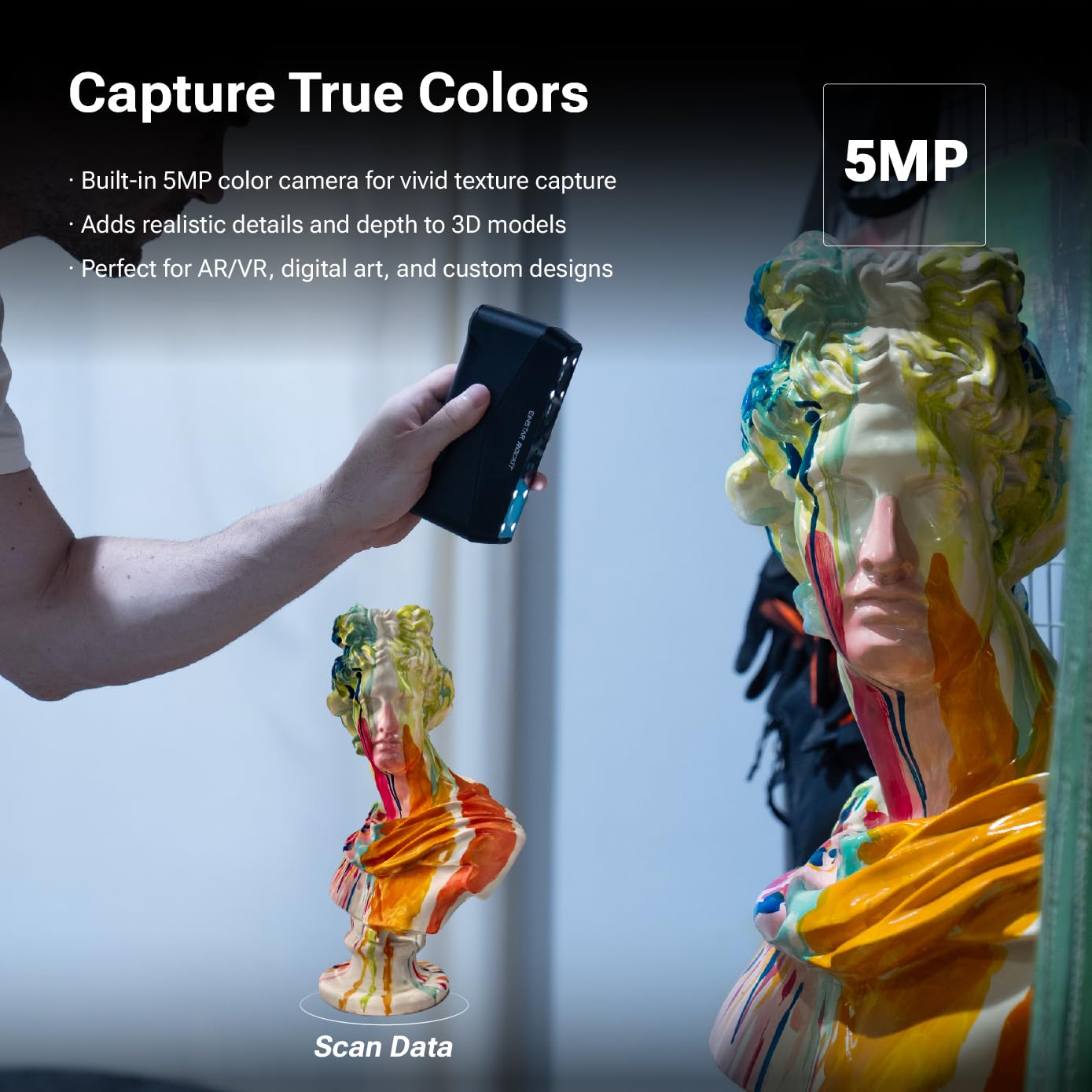
Colour capture is a 48 MP camera, which matters for texture-dependent work such as artefacts, artwork and VR assets rather than pure geometry. IP50 means dust-protected but not water-resistant: fine on a bench, not a tool for a building site.
The product page is EINSTAR Vega, which showed Only 2 left — a very thin listing.


Six checks before you order
None of this needs hardware — only your parts and the computer you already own.
One honest note about the flow: the step that trips people is "largest part". A 1,000 mm working-distance ceiling is the distance from scanner to object, not object size. Scanning a car door means multi-project alignment, and alignment error accumulates — which is exactly why volumetric accuracy gets written as 0.02 plus 0.04 times L.
Four things that rarely make the headline
- Point distance is not accuracy, and too small removes faces: Raptor's own tutorial lists 0.02 mm point distance in the "do not do this" position and recommends 0.1 mm. When you see 0.02 mm, first decide whether it is accuracy or point distance.
- Blue laser mode needs markers: Raptor's blue mode requires circular reflective markers, on the object surface for large parts; Otter's marker spec is 6 mm inner diameter for large objects and 3 mm for small ones. Stickers leave marks, and that is part of the workflow.
- The accuracy row may not exist: both EINSTAR units publish Resolution and working distance with no Accuracy line. Aligning the two quantities matters more than remembering whose number is smaller.
- Weight and cables are long-term costs: Vega is 535 g and Rockit 425 g with the battery. Twenty minutes of handheld work and sixty minutes are different experiences, and tethered units add USB 3.0 cable length and power to the plan.
FAQ
Q: If accuracy is 0.02 mm, can I capture 0.02 mm detail?
Not as an equality. 0.02 mm describes how close a single measurement is to the true value; whether detail survives is decided by point distance, and Creality's own recommendation is around 0.1 mm — five times larger. You can lower point distance during fusion, but the same tutorial warns about missing geometry, processing time and memory.
Q: I only want to model miniatures and machined parts. Do I need laser?
Look at minimum volume and surface first. For 5–10 mm parts with dark or metallic surfaces, laser mode is more stable. For bodies, furniture and sculpture, infrared mode with no markers saves a lot of time. A dual-mode unit like Rockit is built for that fork, but remember its IR minimum volume is 50×50×50 mm.
Q: How far does "outdoor scanning" really go?
By the lux ceiling. Otter tops out at 30,000 lux; the EINSTAR units at 110,000 lux laser and 70,000 lux IR. Direct midday sun is far above any of these, so "outdoor" in practice means overcast, shade, or early and late in the day.
Q: Do I need an RTX 3060 machine?
EINSTAR's published recommendation is indeed RTX 3060 Laptop or above, 6 GB VRAM, 32 GB RAM minimum. Creality's wording is softer: high-precision mode runs smoother with a discrete GPU, and weaker machines can use fast mode. If a new computer is off the table, a standalone unit like Vega is the alternative route.
Q: My point cloud comes out with holes. Is the scanner broken?
Check three things first: whether point distance is set too small (the tutorials name 0.02 mm and 0.05 mm specifically), whether you are outside the recommended distance band, and whether the surface is clear, mirrored or pure black. Only after those three come back clean should you recalibrate — and Creality recommends a 30-minute warm-up first.
Boundaries of this article
No side-by-side scanning happened here and I have not handled any of these four units. Every number comes from official pages and Amazon listings fetched on 2026-11-19; prices move with promotions and exchange rates, so the text records stock status rather than amounts. Two gaps are marked as gaps instead of filled with third-party review numbers: Creality does not publish a frame rate in its tutorials, and EINSTAR does not publish an accuracy row. If you want to keep going, the desktop CNC piece on travel and pass height covers the space a machine can reach, which pairs neatly with the smallest thing a scanner can resolve here; the four routes into 3D printing covers what happens to the mesh afterwards; filament tolerance and drying temperatures is the material side of the same workflow; and if power ratings interest you more than geometry, 40W versus Class 1 on laser engravers applies the same reading method to a different spec sheet.
👉 Join Xiaomi MiMo Platform: Leading AI model platform with cost-effective inference
👉 Join Aliyun AI: Top AI products with exclusive coupons for business innovation
📌 This article was AI-assisted generated and human-reviewed | TechPassive — An AI-driven content testing site focused on real tool reviews
🔗 Recommended Tools
These are carefully selected tools. Using our affiliate links supports us to keep producing quality content:
As an Amazon Associate, I earn from qualifying purchases at no extra cost to you.